


Invoicing should feel calm, not like admin
Most invoicing tools bury a simple job under endless screens. Vak Studio keeps your companies, bank accounts and GST profiles ready, so the next invoice is quick — with clean PDFs built in.

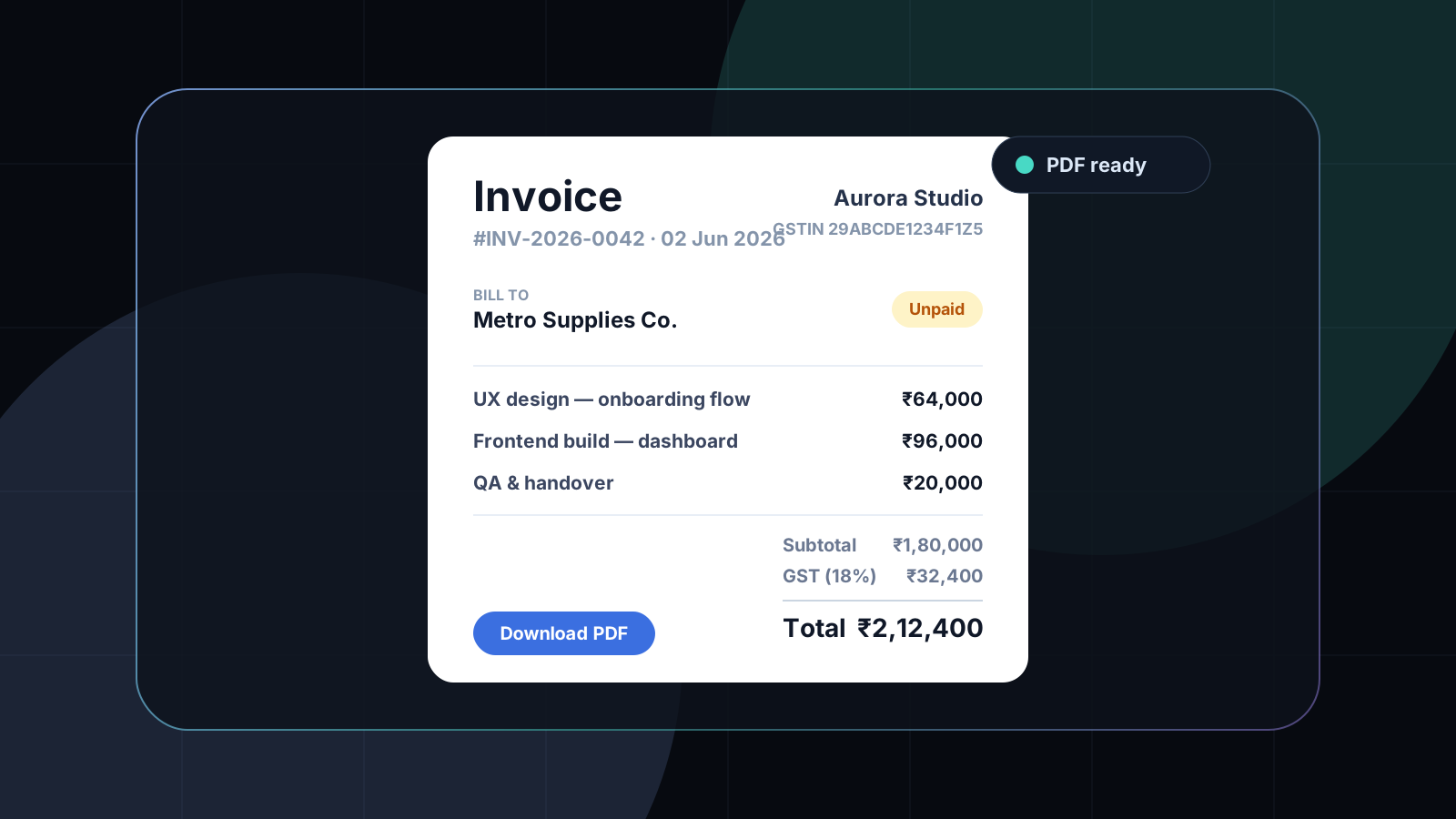
Sending an invoice is a small job that somehow turns into a big one. You open the tool, hunt for the client you added last month, re-type your bank details, fiddle with tax settings, and twenty minutes later you finally have a PDF. For solo founders, freelancers and small teams, that friction adds up — and it has nothing to do with the actual work you did.
Vak Studio is built around a simpler promise: move from “need to send an invoice” to “sent” without getting lost in admin screens.
Invoicing that feels calm. Vak Studio keeps your companies, bank accounts and GST profiles ready, with clean PDF output built in.
Open studio →The job is sending, not configuring
Most invoicing software optimizes for everything except the moment you actually need: drafting the invoice and getting it out the door. Settings sprawl, features pile up, and the core flow gets slower the more “powerful” the tool becomes.
The better default is calm. The screens you see should be the ones you need — the invoice, the client, the account, the profile — and nothing else competing for attention.
Save once, reuse forever
The reason invoicing feels repetitive is that the same details get entered again and again. Vak Studio fixes that by keeping a small, reusable library at the center of the workspace:
- A company library for client details — address, GSTIN, contacts — saved once and reused.
- Bank accounts so you can store multiple payout accounts and pick the right one per invoice.
- Business profiles that hold your billing identity: PAN, GSTIN, headers, footer and GST rate.
With those ready, creating the next invoice becomes a matter of picking, not retyping. And when an invoice is similar to a past one, you just duplicate it and adjust.
GST handled, not bolted on
For teams billing in India, tax is not optional and not an afterthought. Because each business profile carries its own GSTIN and GST rate, the right tax is applied automatically and your GSTIN appears on every document. Compliant invoices, without the manual maths.
A clean PDF, ready to send
An invoice is something a client sees, so it should look like it came from a real business. Vak Studio generates a polished, downloadable PDF with your headers, footer and branding — and keeps every generated file in one Documents area, so you can reopen or re-send anything without digging through folders.
Made for small teams
Invoicing is rarely just one person. Vak Studio is organized around organizations with members and roles, and you can invite teammates by email — so a bookkeeper, partner or co-founder can work in the same billing workspace instead of trading spreadsheets.
Your books, your infrastructure
Invoices hold sensitive client and financial data. Vak Studio can be self-hosted, so your companies, accounts and generated documents stay inside your own environment. Managed deployment is available for teams that want Vak to host and maintain it, but the foundation is ownership.
Calm is a feature
Invoicing will never be the most exciting part of running a business. But it can be quick, clear and genuinely pleasant — a few calm screens between finishing the work and getting paid.
That is the point of Vak Studio: keep the details ready, keep the flow simple, and let you get back to the work that actually pays.
Want an agent that plugs into your data?
See Vak Agent in production.