

The cron job failed, but your uptime monitor stayed green
Scheduled jobs fail quietly because ordinary uptime checks cannot see them. Uptrail tracks triggers, heartbeats, deadlines, alerts, and recovery as one operational trail.

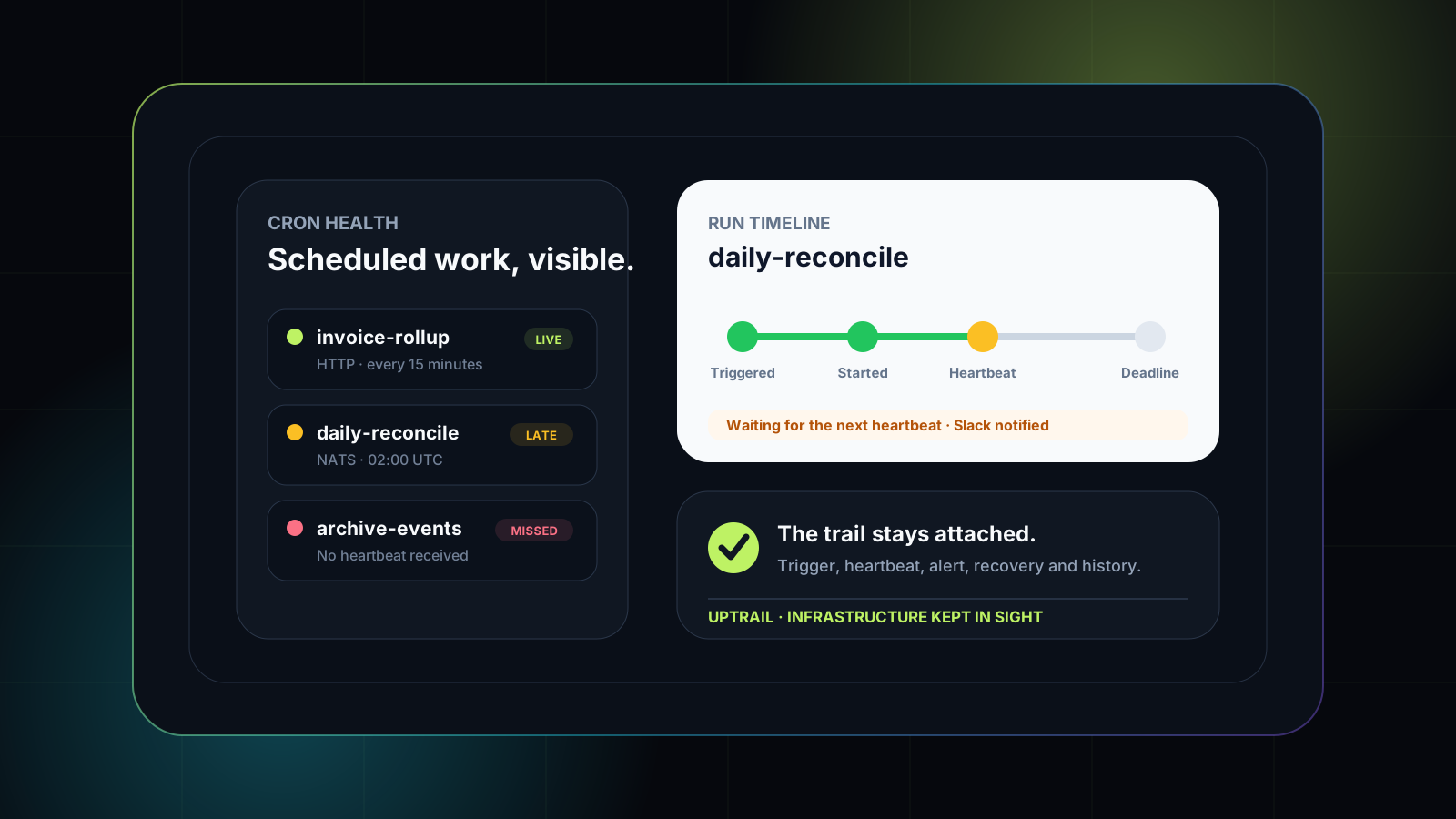
Your API is returning 200. The database accepts connections. The public status page is
green. Meanwhile, the nightly reconciliation job has not run in two days.
This is one of the most expensive kinds of operational failure: the system looks healthy from the outside while important work quietly stops happening. Reports go stale. Events pile up. Invoices are not generated. Backups never finish. The problem is often discovered by a customer or an operations team long after the first missed run.
Ordinary uptime monitoring cannot catch this because a cron job is not a continuously available endpoint. It is a promise that something should happen at a particular time.
Give every scheduled job a visible trail. Uptrail tracks triggers, start signals, heartbeats, deadlines, failures, and recovery alongside the rest of your infrastructure.
Explore Vak Uptrail →A schedule is an operational contract
A cron expression is more than configuration. It says that a job should begin within a known window, continue making progress, and finish before a deadline.
Monitoring that contract requires more than checking whether a process exists. You need to know:
- Was the job triggered?
- Did the worker acknowledge the start?
- Did a long-running job continue sending heartbeats?
- Did it finish successfully?
- Did it run late, fail, or disappear entirely?
Without those signals, a scheduler can report success while the actual work never happens.
Trigger and monitoring belong together
Uptrail can trigger scheduled work over HTTP or NATS. That means the expected run is known before the worker begins, giving the monitor a concrete deadline to evaluate.
The job then reports its lifecycle through start, heartbeat, and stop signals. Short jobs may only need a start and completion. Long-running jobs can send periodic heartbeats so the team knows they are still moving.
When a report does not arrive inside the expected window, Uptrail marks the run as missed instead of waiting for someone to notice stale data.
Missing is different from failed
A failed run gives you an error. A missed run gives you silence.
That distinction matters during investigation. A failure usually means the worker started and encountered a known problem. A missed run may mean the scheduler stopped, a queue lost the message, credentials changed, the worker never came online, or the reporting path broke.
Uptrail keeps these outcomes separate so the alert tells the team what kind of problem it is responding to.
Retry-aware alerts reduce noise
Infrastructure has brief interruptions. A single timeout should not always become an incident, and one transient network wobble should not wake the whole team.
Uptrail uses retries and state transitions before treating a service as down. Alerts are sent when the state meaningfully changes, and recovery notifications close the loop when the service returns.
The same principle applies to scheduled work: alert on a failed or missed outcome with the cron name, timing, and run context attached.
Put cron health beside service health
Scheduled jobs are part of the product, so their health should not live in a separate spreadsheet or log-search ritual.
Uptrail keeps service monitors and cron runs in the same operational workspace. Teams can switch between endpoint health and scheduled-job history without losing context. The public status experience can carry incident updates while the private control plane keeps the deeper run detail available to operators.
Incidents need a timeline, not just an alert
An alert starts the response. It does not explain what happened next.
When a failure affects customers, Uptrail lets the team open an incident, post investigation and mitigation updates, and close it with the full timeline intact. This gives operators an auditable record and gives customers a clear account of the recovery.
Active incidents are separated from resolved history, and every update records its author and timestamp. Teams can copy a stable public link or an iframe embed, then brand the public status experience with their own logo and footer.
The result is one connected trail: check, failure, notification, incident, update, and resolution.
Monitoring is team work
Uptrail separates organizations into workspaces and gives members admin, editor, or viewer roles. Admins manage people and invitations. Editors configure monitors and crons. Viewers can inspect health without changing the control plane.
Google or email sign-in keeps access practical, while the audit log records changes to monitors, groups, cron definitions, users, and settings.
This matters because reliable monitoring is not only about detecting failures. It is also about knowing who changed the thing that decides what “healthy” means.
The green dashboard should mean something
A status board is only trustworthy when it represents the work customers depend on.
That includes the API they call, the database behind it, the queue carrying events, the cache serving sessions, the port accepting traffic, and the scheduled job that keeps the business moving overnight.
Uptrail brings those signals together so a green dashboard means more than “the homepage loaded.” It means the operational promises behind the product are still being kept.
Want monitoring that goes deeper than pings?
See Vak Uptrail in production.